Agent tools · TypeScript / MCP
Waypost
Proton tools for your agent.
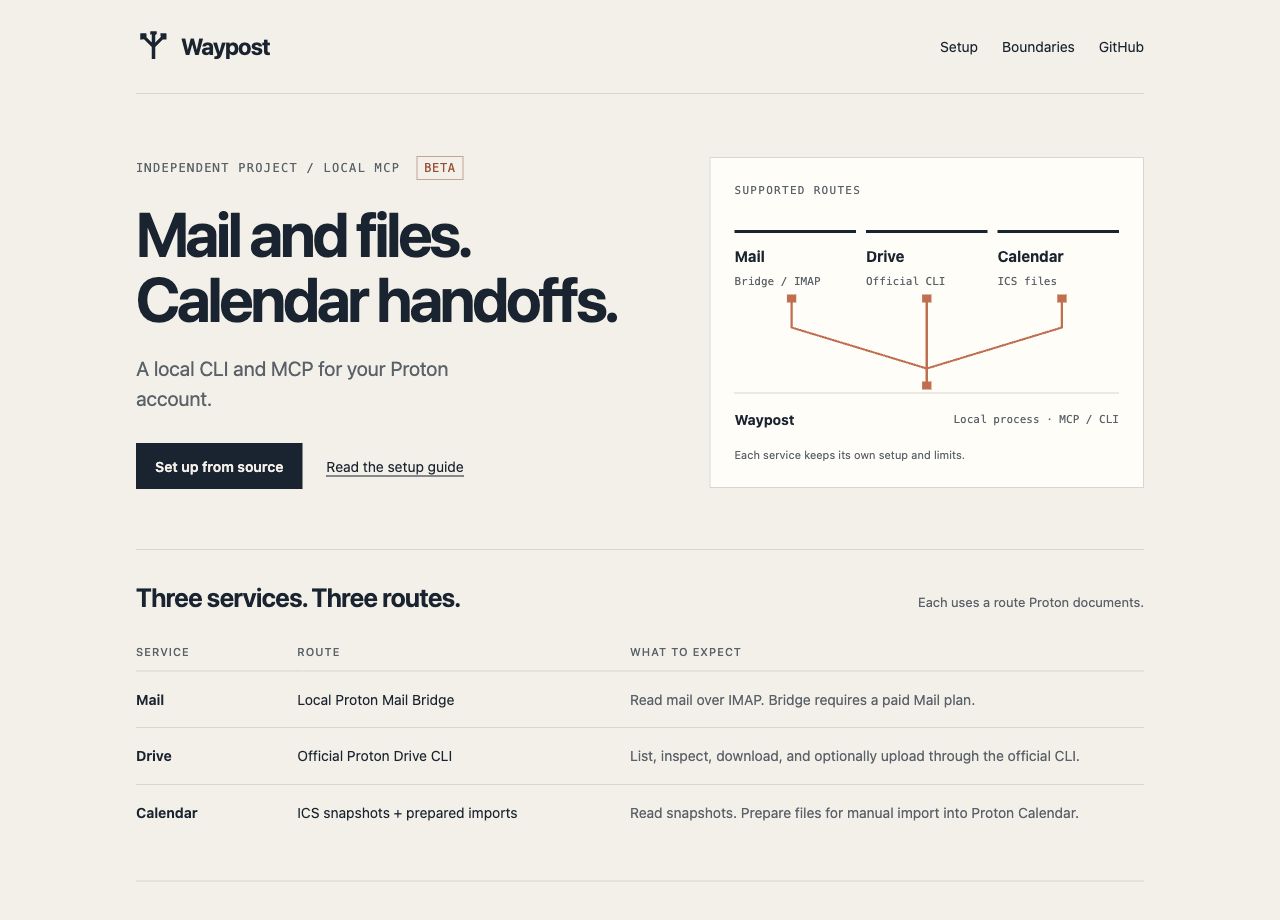
Waypost connects AI agents to Proton Mail, Drive and Calendar through a local CLI and MCP server. Reading is the default; sending and uploading stay off until you allow them, and every write needs confirmation.
- Free
- Open source
- macOS
- Linux
- MCP
Why I built it
I use Proton for mail, files and calendar, and I wanted my agents to help with them the same way they help with everything else. I built Waypost to connect agents to Proton tools without ever handling my Proton password.
Careful by default
Waypost reads mail through Proton Mail Bridge, reaches Drive through Proton's official CLI, and works with Calendar through exports and share links. Mail and Calendar are read-only by default. Sending mail and uploading files start disabled, and when you turn them on, every single call still has to confirm. There is no permanent-delete or public-sharing tool at all.
One tool, two doors
The CLI and the MCP server share the same tools and the same JSON results, so a script and an agent see exactly the same thing. Errors say what to run or change next.
Read by default, write only when you say so
- Read Proton Mail locally through Bridge or a read-only helper - folders, search, messages, threads and attachments.
- List, inspect and download Proton Drive files through Proton's official CLI, with checksum checks.
- Read Calendar exports and prepare ICS files, including recurring and all-day events.
- Sending and uploads start disabled and need confirmation on every call.
- The same tools from the command line or any MCP client, with no network listener.
Limits. Calendar imports must be saved and verified in Proton. Waypost is independent of Proton.
Get Waypost
Full setup, configuration and troubleshooting are in the Waypost documentation.
Found a bug or want something added? Report a bug or request a feature on GitHub. No GitHub account? Email me.
Waypost questions
What is Waypost?
Waypost connects AI agents to Proton Mail, Drive and Calendar through a local CLI and MCP server. Reading is the default; sending and uploading stay off until you allow them, and every write needs confirmation.
Is Waypost free?
Yes. Waypost costs nothing, and its source code is on GitHub under the MIT license.
How do I install Waypost?
Clone the repository and build it with Node.js 22.14 or newer, then register the MCP server with Claude Code or another MCP client. The documentation lists each command.
What does Waypost run on?
macOS and Linux with Node.js 22.14 or newer; Windows is not verified yet. Mail goes through Proton Mail Bridge and Drive through Proton's official CLI.
Does Waypost see my Proton password?
No. It reads mail through Proton Mail Bridge and reaches Drive through Proton's official CLI. It runs on your computer and opens no network listener. Sending mail and uploading files start disabled, and every call must still be confirmed once you turn them on.
Does Waypost have limits?
Calendar imports must be saved and verified in Proton. Waypost is independent of Proton.
Documentation