VaultLink Notes
Your notes, beside the web.
VaultLink opens an Obsidian vault in a browser or Chrome side panel, reached from your other devices over private Tailscale and protected by a pairing token.
- Free
- Open source
- macOS
- Linux
- Chromium
Why it exists
Why I built VaultLink
My notes live on one computer, but questions come up everywhere. VaultLink opens an Obsidian vault in a browser or Chrome side panel, reached from my other devices over private Tailscale and protected by a pairing token.
Two ways in
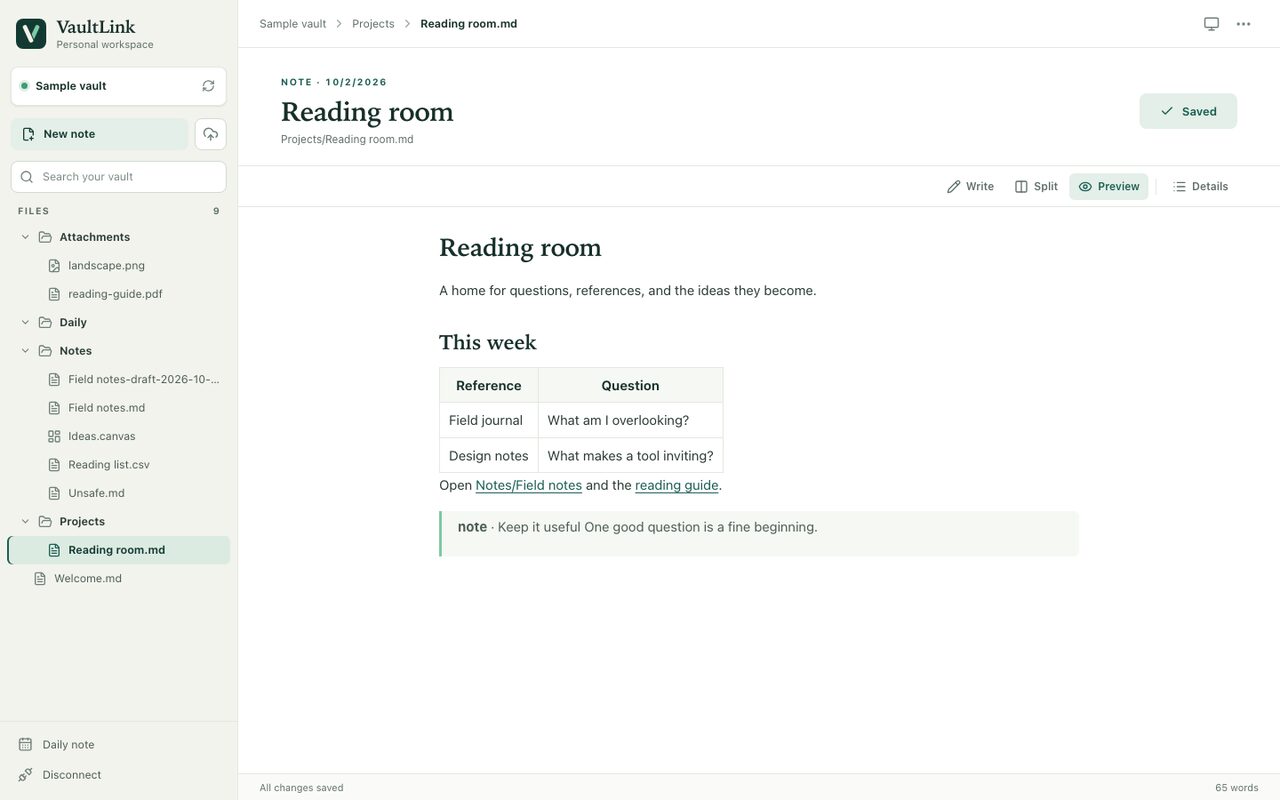
The VaultLink workspace is a focused browser editor for notes, search, Markdown preview, PDF markup and image copies. When I need my Obsidian themes and plugins, the native option streams the real Linux Obsidian app into the browser instead. They are separate sessions on separate addresses.
Careful with the files
Existing note bytes are backed up outside the vault before they are replaced. Hidden folders, including .obsidian, are never served by the workspace. The companion listens only on this computer, and the pairing token works like a password.
 Donovan Baney built VaultLink. About me
What it does
Your notes on every device you trust
- Edit, search and preview the vault's ordinary Markdown files, with wiki links and an outline.
- Mark up PDFs and keep edited image copies; originals are preserved.
- Notice changes saved elsewhere and offer conflict recovery.
- Reach the vault from another device over private Tailscale Serve, never the public internet.
- Optionally stream the real Obsidian desktop for themes and plugins.
What it isn't
The workspace has its own editor and does not run Obsidian themes or plugins. Windows companion setup has not been verified.
Get it
Get VaultLink
VaultLink is free. It runs on macOS or Linux companion; any modern browser to connect.
node setup.mjsFound a bug or want something added? Report a bug or ask for a feature on GitHub. No GitHub account? Email me.
What is VaultLink?
VaultLink opens an Obsidian vault in a browser or Chrome side panel, reached from your other devices over private Tailscale and protected by a pairing token.
Is VaultLink free?
Yes. VaultLink costs nothing, and its source code is on GitHub under the MIT license.
How do I set up VaultLink?
On the computer that holds your vault, download the companion ZIP from the latest release, extract it and run node setup.mjs with Node.js 22.12 or newer. The Chromium side panel is a separate ZIP you load as an unpacked extension.
What does VaultLink run on?
The companion runs on macOS or Linux. You connect from any modern browser, or from the side panel in Chromium 116 or newer. Windows companion setup has not been verified.
Is my vault exposed to the internet?
No. The companion listens only on its own computer, and every request needs the pairing token. Other devices reach it over Tailscale Serve on your private network, not the public internet.
Does VaultLink have limits?
The workspace has its own editor and does not run Obsidian themes or plugins. Windows companion setup has not been verified.
From the same maker
More free tools by Donovan
 TychicusBrowser use and computer use for your coding agents.A free, open-source Chromium extension, CLI and MCP server that lets Claude Code, Codex, pi and other MCP agents use your real browser, in background tabs of their own, while you keep working.Visit Tychicus